GLOVES / GEAR REVIEW
Touchscreen Motorcycle Gloves: Fit and Weather Guide
Choose touchscreen motorcycle gloves by fit, control feel and weather needs. Compare manufacturer specifications and check screen response while safely stopped.
Touchscreen motorcycle gloves can save you removing a glove to adjust a route or check a message after parking safely away from traffic. Choose them first for riding fit, control feel and the conditions you expect. Screen compatibility is an extra convenience; it does not establish protective suitability or make phone use while riding safe. Set navigation before departure and stop somewhere safe before changing it.
How this guide was prepared: We reviewed the manufacturer specifications linked below on 11 October 2026. This is a research-based buying guide, not a hands-on comparison. We have not tested these gloves for screen accuracy, warmth, waterproofing or crash performance. Older Dainese specifications discussed below were readable through indexed official pages, but their original URLs now redirect. Manufacturer information does not verify a retailer’s exact model, price or stock; the retained Amazon links have not been verified against a current listing.
Affiliate disclosure: We may earn a commission if you buy through our affiliate links, at no extra cost to you. How our links work. Check the model, version and seller’s return terms before buying.
Choose fit and control feel first
Start with full-fingered motorcycle gloves appropriate for your riding. The Motorcycle Safety Foundation’s protective-gear guidance explains that loose or bulky gloves can make controls difficult to operate, while overly tight gloves can restrict circulation. A size label alone cannot establish a good fit.
- Measure using that manufacturer’s chart. Check the measurements requested for the exact glove rather than carrying your size across brands. Repeat the fit check with any liner you intend to wear.
- Try a riding grip. With the motorcycle securely supported and the engine off, check that you can reach and operate the levers and switches without fabric bunching in your palm or fingertips catching. Look for pressure from seams or knuckle pieces when your hand closes.
- Check fingertips and retention. Avoid excess material that makes small movements awkward, or a fit that pulls tightly across the fingers. Fasten the wrist closure and check that the glove stays seated when you move your hand.
- Keep protection separate from touchscreen claims. Look at palm construction, reinforcement, knuckle coverage and the exact glove’s certification label and instructions. Touchscreen branding says nothing about abrasion or impact performance, and no glove guarantees an injury-free crash.
If a glove works well on your phone but interferes with the bike’s controls, choose a better-fitting riding glove. You can remove it to use the phone once parked.
Match the glove to your weather
For hot rides, compare airflow and perforation with the coverage you need. A ventilated glove is not automatically suitable for rain or cold. For wet rides, look for an explicit waterproof construction claim for that model; breathable mesh, leather and a touchscreen fingertip do not establish waterproofing.
For cold rides, check for stated insulation as well as weather protection. A waterproof membrane alone does not establish winter warmth. The MSF guidance distinguishes lighter summer gloves from heavier lined or insulated winter gloves. Try the complete glove-and-jacket combination: check cuff coverage and whether added bulk affects your grip and lever reach. None of the specifications below establishes a temperature at which every rider will stay comfortable.
Manufacturer specifications to compare
These models illustrate different selection needs. They are not ranked by test results. An unspecified touchscreen finger remains unknown, even when a manufacturer advertises touchscreen compatibility.
Alpinestars Andes V3 Drystar: consider for wet, mid-season riding
Alpinestars’ Andes V3 Drystar glove page describes a mid-season glove with goat leather and textile construction, a waterproof-breathable Drystar membrane and viscoelastic knuckle armor. That makes it a model to research when rain protection matters.
Touchscreen fingers: The reviewed page declares compatible fingertips but does not identify which fingers. Confirm the intended finger rather than assuming thumb compatibility. The page also does not specify thermal insulation, so do not assume winter warmth from the waterproofing claim. Check the exact glove’s label and fit before choosing it for your conditions.
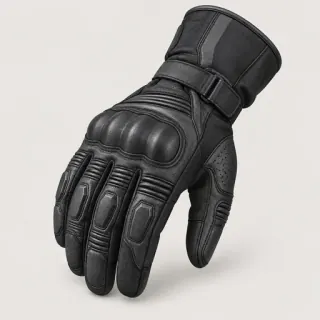
Alpinestars Andes V3 Drystar Gloves
Mid-season waterproof construction; exact retailer listing unverified
 Illustration
 XpertRider partners with retailers like Amazon. We may earn a commission if you purchase through our links at no extra cost to you.
Alpinestars Copper: consider for a light urban glove
Alpinestars’ Copper specifications list a short, lightweight glove with a synthetic-suede palm, palm reinforcement, stretch panels and a covered hard-knuckle protector. Alpinestars lists EN 13594:2015 Level 1 KP for this model; confirm the marking on the exact pair.
Touchscreen fingers: Alpinestars specifies the index fingertip. The reviewed page does not declare a touchscreen thumb, waterproof membrane or thermal insulation. Consider it when a lightweight design suits your needs, rather than assuming it covers wet or cold conditions. Check the wrist fit and lever feel in person where possible.
Alpinestars Copper Gloves
Synthetic-suede palm and touchscreen index fingertip; retailer listing unverified
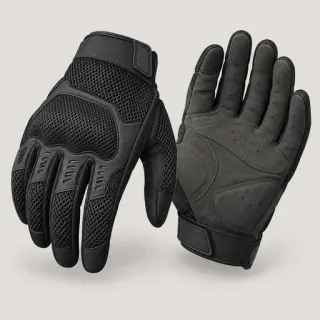 Illustration
 XpertRider partners with retailers like Amazon. We may earn a commission if you purchase through our links at no extra cost to you.
KLIM Baja S4: check the generation for hot-weather use
KLIM’s current Baja S4 page explicitly describes a second-generation glove, with a 4063-001 model prefix. It lists mesh ventilation, perforated goat-leather palm and fingers, TPU knuckle and palm pieces, and XRD padding at the thumb, palm base and wrist. This supports researching it for hot-weather use; it does not establish waterproofing or winter insulation.
Touchscreen fingers: KLIM lists MULT-E-TOUCH functionality but does not identify individual fingers on that page. Its certification wording includes a pending Level 1 KP rating, so we do not present that as a completed certification.
Check the complete model number and certification label. The specifications above refer to the second-generation 4063-001; a shared Baja S4 name does not make different generations interchangeable.
Dainese Athene Tex: a model-identity correction
The earlier Athene Tex recommendation incorrectly used a MIG 3 description and an unverified product illustration. Dainese’s indexed official pages distinguish Athene Tex, model 201815962, with a synthetic palm and ventilated mesh, from MIG 3, model 201815934, which lists cowhide and TPU knuckle inserts. Both pages list Smart Touch, without identifying the compatible fingers.
Those original manufacturer URLs now redirect, so these are historical model references, not evidence of current availability. Evaluate an Athene Tex pair using its own specifications and label, without transferring MIG 3 construction or protection details.
Check your own screen while parked
A manufacturer’s touchscreen declaration is a starting point, not a guarantee for every device. Samsung’s screen-sensitivity guidance notes that gloves, screen protectors and moisture can affect response, and that sensitivity settings vary by phone model.
Before committing to a pair, check it with your own phone or navigation device, case and protector in place, within the seller’s permitted try-on and return conditions:
- Use the declared finger. Try a simple tap and swipe with the glove fitted correctly. Check that the intended fingertip area contacts the screen; do not assume every finger or the thumb is conductive.
- Try the tasks you need when stopped. Opening your route and selecting a large button may work differently from typing a destination. Test both if they matter to you; do not infer reliable typing from one successful tap.
- Check the device instructions. If your phone offers a compatible sensitivity setting, follow its maker’s guidance. Do not assume all phones have it or that it will make every glove work. Keep the screen clean and dry as instructed, and seek device-specific advice about a damaged protector.
- Keep a simple fallback. If response is unreliable, remove a glove after parking safely. Do not cut a fingertip, alter protective seams or add a treatment without checking the glove manufacturer’s instructions.
For the rest of your setup, our motorcycle phone-mount guide covers mounting compatibility and vibration considerations, and our motorcycle apps guide compares planning and navigation features. A mount or app does not change the need to stop safely before interacting with the screen.
Published
Explore more gloves
KEEP EXPLORING